Open Live Writer is an easy-to-use desktop application you can use to post article on your mojoPortal Blog.
To configure, click the Weblog dropdown menu and choose "Add Weblog Account..." Then choose "Another weblog service as shown below.
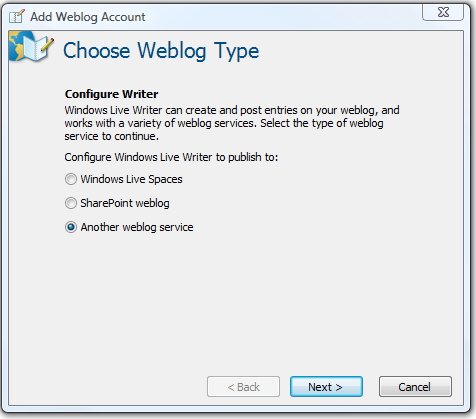
then click next
For the Weblog home page url, paste in the url for the page in your site that has the blog on it, then enter the username and password you use to sign into your mojoPortal site as shown below.
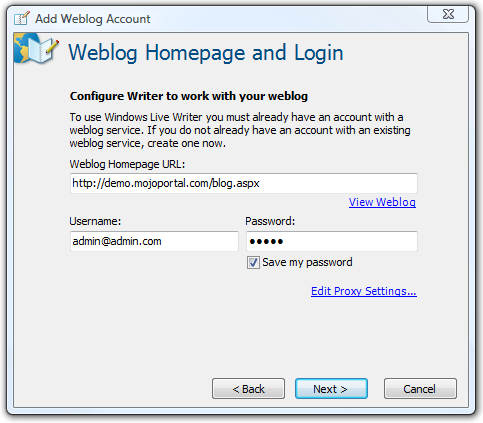
then click next. Choose Metaweblog API for the type of weblog, and for the posting url enter your site root url followed by /metaweblogapi.ashx as shown below:
IMPORTANT: If you have an SSL certificate installed at your site you should use https:// instead of http:// because the user name and password are posted to the service url from Windows Live Writer, and without using https it is being posted in clear text across the wire and there is risk of exposing those credentials. If you use https it will be encrypted, but you can only use https if you have an SSL certificate installed.
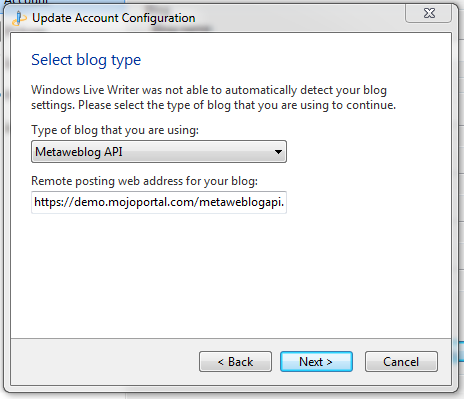
then click next, you'll be prompted whether to detect your theme, click "Yes"
Finally give it a name to identify it in Windows Live Writer as shown below and click "Finish"
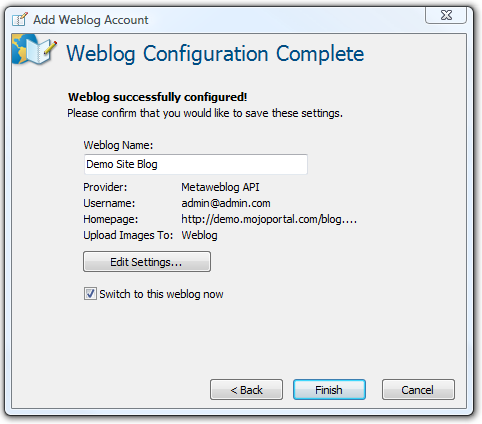
You are now ready to use Live Writer for posting to your blog.
See also:
Last Modified by Joe Davis on Aug 10, 2017