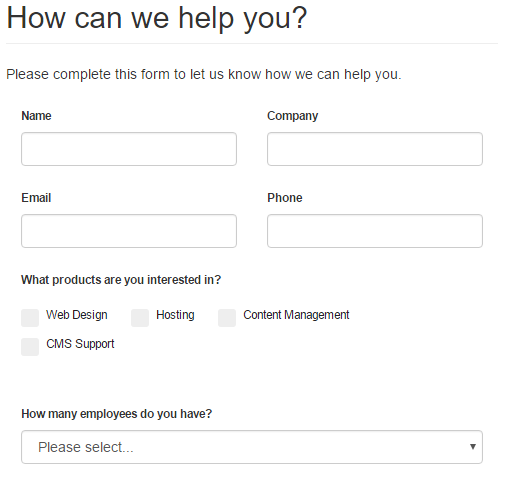
 Form created with Form Wizard Pro
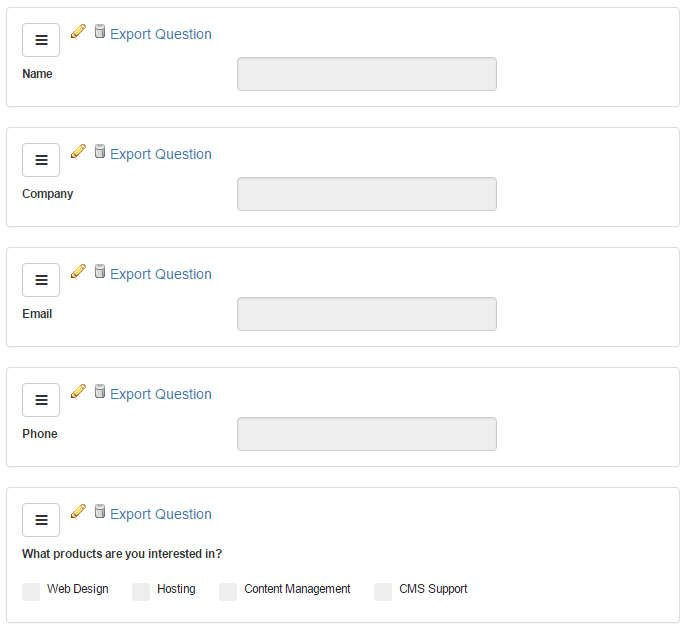 Form Wizard Pro Edit Screen
Form Wizard Pro enables you to create custom forms and surveys in your mojoPortal site. Our drag and drop form/survey designer makes it easy. For a guided tour of Form Wizard Pro, please click the Demo Videos tab. You can also try it out yourself on our demo site demo.mojoportal.com
Available licenses: Single Installation License, Server License or Enterprise License.
Features at a Glance
-
Easy Form Creation — Easily design forms and surveys with Text, Paragraph, Multiple Choice (radio buttons), Checkboxes, dropdown lists, Date, or sliding scale question types.
-
Drag & Drop — Re-arrange questions using drag and drop.
-
Files as Submissions — Support for up to 4 files to be uploaded as part of the form submission, good for collecting resumes or images or examples of technical issues, etc.
-
Custom Handlers — Support for implementing custom form submission handlers.
-
Import & Export — Import and export complete form/survey definitions with questions, or even just individual questions.
-
Regular Expressions — Regular Expressions for validation of Text questions.
-
Custom CSS Classes — Easily add custom CSS classes per-question to have complete design control over your form.
-
Notifications — Optionally receive email notifications when a form is submitted. Configure as many emails as you want to receive them.
-
Easy Data — Export submission data to .csv (Comma Separated Values) for analysis in Excel or other spreadsheet programs. Easily track form submissions in Google Analytics. Admins can browse form/survey submissions online as a grid or one by one.
-
Anti-Spam Features — Optional Captcha to prevent spam submissions by automated bots.
System Requirements & Installation
A web site running the free, open-source mojoPortal CMS version 2.9.0.1 or higher using MS SQL 2016+/SqlAzure, MySql, PostgreSQL, SQLite. You should get your site working before you buy the Form Wizard Pro Feature. For information on setting up a mojoPortal site, see mojoPortal Installation. If you need an older version of Form Wizard Pro, contact us.
After purchasing Form Wizard Pro, download the .zip file to your local machine and using an FTP Client like FileZilla, copy the contents of the wwwroot folder into the root folder of your mojoPortal web site. Then visit http://yoursiteroot/Setup/Default.aspx to complete the installation of Form Wizard Pro. If your skin does not already have style for Form Wizard Pro, you should also copy the relevant CSS from the Framework skin. You may need to adjust the CSS to suit your needs.