SPAM is an unfortunate reality on the internet today. Spammers are always working on new ways to get their unwanted messages to spread. They have automated scripts that troll sites looking for forms they can submit so they can post their message in hopes that it goes somewhere or gets displayed on your site. So for example, you may enable comments in your blog, or you may have a contact form so that people can contact you on your web site, and one day you start getting messages with links to porn or product offers which may be real or scams but are not offers you would like to hear or read about in any case. The blog is particularly attractive because it will show the comments posted so it offers spammers a way to link to their site(s) which may contain anything from porn to viruses. Obviously we need a way to fight back against this kind of ugly nuisance. The challenge is finding a way to prevent this while still allowing real people to post comments or send you messages in your contact form.
Today, CAPTCHA technology is the best defense we have that is widely used on the internet to prevent web page SPAM (this article is dealing only with Web Page SPAM, not email SPAM). The idea of a CAPTCHA is to make the user enter some kind of information so that we know its a real person and not a script trolling our site.
Configuring CAPTCHA Options in mojoPortal
mojoPortal content management system has 3 different CAPTCHAs available for you to use; Simple Math, Subkismet and reCaptcha. To specify which CAPTCHA to use, go to Administration Menu > Site Settings, click the Security Tab and select the Anti-SPAM tab.
The Simple Math CAPTCHA:

The Subkismet CAPTCHA:
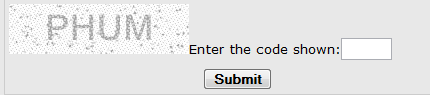
and finally
reCAPTCHA, from Carnegie Mellon, now owned by Google
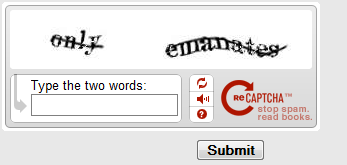
The idea of reCAPTCHA is to use the human effort in solving the CAPTCHA to help improve the quality of books scanned with optical character recognition by finding and fixing the mistakes. So there is an altruistic element to using reCAPTCHA as you will be contributing to a good cause by using it. To use reCAPTCHA you need to get an account and set the private and public keys in the Anti-SPAM section of the mojoPortal Site Security Settings (the same location the CAPTCHA options are located).
Then you still have to enable use of the CAPTCHA in each feature. So, for example to enable CAPTCHA in your blog, click the gear icon next to your Blog title to get to module settings for the blog. You will see a checkbox to enable ANTI-SPAM. Same thing for the Contact Form, click the gear icon next to the title and look for the setting to enable ANTI-SPAM.
The downside of CAPTCHAs is useability and accessibility. The CAPTCHAs listed above are roughly listed in increasing order of strength and decreasing order of ease of use. The Simple Math CAPTCHA is easy but some spam scripts may be smart enough to crack it. SubKismet is a little stronger and not too difficult. reCAPTCHA is the strongest but perhaps also the most difficult for human users. On some occasions users may find the reCAPTCHA to be very frustrating if they have trouble reading the challenge words.
The accessibility issues are even worse. For blind people, a screen reader "may" be able to read the simple math question well enough for the user to solve it without seeing it, but how can a blind user solve Subkimet? reCAPTCHA has made a good effort to solve this by offering an alternate audio-only CAPTCHA, but the accessibility community opinion seems to be that it falls very short for real users with real physical impairments.
Last Updated 2011-08-19 Joe Davis